Best AI Models Review 2026: Compare 21 Models Side by Side
Editor & Lead Reviewer, ToolsProZone
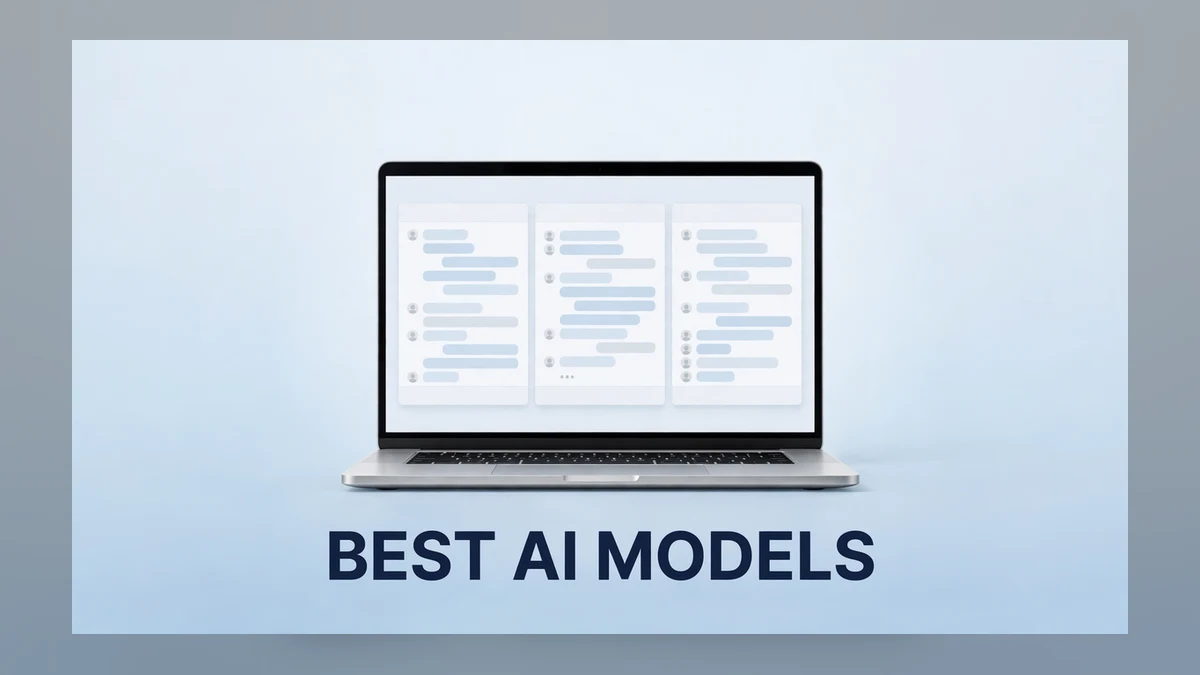
Paying $20 a month each for ChatGPT, Claude, Gemini and Grok adds up fast — and switching between four tabs to compare answers is nobody’s idea of a workflow. Best AI Models promises to end that: 21 AI models from Claude, OpenAI, Google, DeepSeek, Kimi, GLM and Grok in a single dashboard, for one $14.95 payment instead of a stack of subscriptions. This review checks what independent reviewers could actually verify about it, including the two catches the sales page does not lead with: the front end has usage limits, and this is a third-party wrapper, not the providers themselves.
Best AI Models is a cloud-based multi-model AI workspace launched on 17 July 2026 through the LaunchpadJV network, created by Uddhab Pramanik of Insource Apps. The pitch is simple: one login gives you 21 advertised AI models — including Claude Fable 5, Claude Opus 4.8, GPT-5.6 Sol, Gemini 3.5 Flash, DeepSeek V4 Pro, Kimi K2.6, GLM 5.2 and Grok 4 — in a single chat workspace where you can switch models or compare their answers side by side. For a closer look at a similar multi-model access tool, see our ClaudHub review.
Disclosure: This review contains affiliate links. We may earn a commission if you buy through our links, at no extra cost to you.
How we reviewed it: We did not run Best AI Models ourselves. The facts in this review come from the vendor’s launch material and multiple independent Best AI Models reviews, cross-checked across sources. Prices, OTOs and the guarantee below are as reported by those independent reviews and may have changed — check the official page before buying.
Best AI Models is a cloud-based dashboard launched in July 2026 that puts 21 advertised AI models — Claude, GPT, Gemini, DeepSeek, Kimi, GLM and Grok — behind one login, with a workspace for switching models and comparing answers side by side. The front end was reported at $14.95 to $17 one-time, with a 30-day guarantee and nine optional upgrades.
What It Is
Best AI Models is a web-based AI aggregator: instead of opening separate accounts for each AI provider, you log in once and get a central workspace for chatting with many models. You type a prompt once, pick a model, and get an answer — or run the same prompt across several models and compare what each one produces. The vendor also advertises future model updates added to the account automatically, so the lineup is meant to grow as providers release new versions.
The comparison angle is the real selling point. Different models genuinely answer differently: one may write tighter copy, another may reason better through a technical problem, a third may be stronger at research. Having them in one place lets you pick the best output for the task instead of committing your whole workflow to a single assistant. The dashboard is cloud-based, so there is nothing to install and it works from any device with a browser.
One fact worth knowing before you buy: Best AI Models is a third-party product, not a service from OpenAI, Anthropic or Google. You are accessing these models through the vendor’s dashboard, which is how the one-time price works — but it also means your access depends on the vendor staying operational and on third-party APIs that can change. The model lineup itself can change too, as providers launch and retire versions, so check the current sales page for the exact list before buying.
Key Features
- 21 AI models in one dashboard: Advertised models span Claude (Fable 5, Opus 4.8, Opus 4.6, Sonnet 5, Sonnet 4.6), GPT (5.6 Sol, 5.5 Pro, GPT-5, o3), Gemini (3.5 Flash, 3.1 Pro, 3 Pro), DeepSeek V4 Pro and Flash, Kimi K2.6, K2.5 and K2 Thinking, GLM 5.2 and Grok 4.
- Multi-model chat workspace: Switch between models at any time and compare answers side by side from one workspace.
- Built-in AI prompt engine: Pre-loaded prompts for sales copy, emails, scripts, advertisements, funnels and marketing, aimed at beginners and adjustable for experienced users.
- Smart output optimisation: The vendor promotes tools to refine responses and improve clarity with fewer prompts — though, as with any AI platform, output quality still depends on the model, the prompt and human editing.
- Pro, Max and Enterprise-level access: The sales page advertises higher-tier access to the included models; exact scope should be checked in the product terms.
- Commercial licence: Included with the front end, so output can be used for client work, agency services and freelancing, per the vendor.
- Future model updates: New models are advertised as being added to the account automatically at no extra charge.
How It Works
- Log in to the dashboard: Cloud-based, so there is nothing to install — you access it from any device.
- Choose any AI model: Pick from the 21 advertised models and switch between them whenever you like.
- Generate in seconds: Create content, ideas, scripts, ads, code and more, or run the same prompt across models and compare the results.
That is the whole workflow. Your real job is the part the sales page skips: checking the output. No model is right for every task, and comparing answers only helps if you actually read them — pick the best response, edit it, and do not publish raw AI output as finished work.
Pricing
The front end was reported at $14.95 to $17 as a one-time payment at launch in July 2026 — most independent reviews quote $14.95, while RankMarket lists the vendor funnel front end at $17. That launch window is months past, so treat the price as the reported launch price, not necessarily the price you will see at checkout today. Check the official page for the current figure. Two coupon codes were reported during launch — BEST35 for 35% off and BEST5 for $5 off — though neither is guaranteed to still work.
A 30-day money-back guarantee is reported consistently by independent reviews. The sales page also shows a $9.95 Turbo Upgrade as an order bump (stated normal price $197, per DigitalEclat).
The funnel has nine optional one-time upgrades, with prices as reported by independent reviews (two sources agree on the table; only the Whitelabel price is confirmed on the vendor’s own page):
- OTO 1 – Unlimited: $47. Removes the front-end usage caps — unlimited generations, chats, words and projects, all 21 models, priority processing and side-by-side comparison mode.
- OTO 2 – Best AI Video Models: $67. Access to AI video models and tools for turning text and images into videos.
- OTO 3 – Best AI Voice Models: $47. AI voice generation for voiceovers, narration, podcasts and advertising.
- OTO 4 – Visual Creator AI: $47. AI image and visual creation and editing.
- OTO 5 – Best AI Models DFY: $197. Done-for-you campaigns, prompt packs, funnel templates, content calendars and client-acquisition resources.
- OTO 6 – AI Profit Machine: $97. Systems and tools for building AI-based income streams — treat any income claims as promotional examples, not guarantees.
- OTO 7 – Agency Edition: $47. Client accounts and commercial-use options for agencies.
- OTO 8 – Franchise Edition: $97. Sales funnels, support and business-oriented extras.
- OTO 9 – Whitelabel Edition: $197. Rebrand and resell the platform under your own business identity.
Every OTO is optional — the front end works on its own. But the nine upgrades total roughly $840 on top of the front end, so the advertised entry price is not the real ceiling if you buy them. The front end’s usage caps are the one limit to plan around: if you expect heavy daily use, budget for the Unlimited upgrade or expect to hit a ceiling.
A launch bonus reported by independent reviews is the Premium AI Business Prompt Pack (sales-page valuation $1,000+, which is the vendor’s valuation, not an independently established market value). The sales page also advertised AI Agent Mode and Deep Research Mode free for the first 100 buyers — a promotional incentive to confirm on the page before purchase.
Front end reported at $14.95 one-time with a 30-day guarantee — confirm the current price before buying.
Pros and Cons
Pros
- Very low reported entry price ($14.95–$17 one-time) versus paying $20 a month per provider for several AI subscriptions.
- 21 advertised models from seven providers in one workspace, with side-by-side comparison.
- Built-in prompt library for sales copy, emails, scripts, ads and funnels — a useful starting point for beginners.
- Commercial licence included at the front-end tier, not held back as an upsell.
- Future model updates advertised as included, so the lineup is meant to grow.
- 30-day money-back guarantee reported consistently across independent reviews.
- Cloud-based with nothing to install; works from any device.
Cons
- The front end has usage caps — heavy daily users will hit a ceiling unless they buy the $47 Unlimited upgrade.
- It is a third-party wrapper, not direct provider access — your access depends on the vendor staying operational and on third-party APIs that can change.
- Video, voice and image generation are separate paid upgrades despite the “all-in-one AI” framing.
- The nine-upgrade funnel totals roughly $840 on top of the front end if you buy everything.
- The exact model lineup can change over time as providers launch and retire versions.
- No independent hands-on reviews exist yet — every performance claim traces back to the vendor’s sales copy.
- The launch price is from July 2026 and may have changed; the current price and guarantee terms are not verified in the sources we checked.
Who It’s For
- Marketers: People who want one workspace for sales copy, emails, ads, scripts and funnels across several models.
- Content creators: Anyone who compares model outputs to pick the best draft for each piece of content.
- Freelancers: A cheap way to offer AI-assisted client work with the included commercial licence.
- Small business owners: Drafting marketing content without paying for several monthly AI subscriptions.
- AI experimenters: Users who like trying different models for different tasks instead of committing to one assistant.
Who It’s Not For
- Heavy daily users on the entry tier: The front-end usage caps will frustrate you — budget for Unlimited or buy direct provider plans instead.
- Anyone who wants official provider features: Direct ChatGPT, Claude or Gemini plans include features a third-party dashboard may not offer.
- Power users needing deep reasoning or API access: High-throughput, fine-tuning or enterprise use still needs the providers’ own developer tiers.
- Buyers expecting guaranteed income: The AI Profit Machine upgrade is a system, not a promise — no software guarantees sales.
- People who need long-term reliability: A one-time-fee wrapper depends on APIs and vendor support that can change; weigh that against the low price.
Our Verdict
Best AI Models is a cheap way to get broad, occasional access to many AI models: a reported $14.95 one-time payment for a dashboard that puts 21 models — Claude, GPT, Gemini, DeepSeek, Kimi, GLM and Grok — behind one login, with side-by-side comparison and a prompt library included. If you use AI daily for light-to-mid-weight work and you are tired of stacking $20 monthly subscriptions, the cost argument is genuinely strong.
The honest caveats are the ones the sales page does not lead with: the front end has usage caps, so heavy users will need the $47 Unlimited upgrade; video, voice and image generation are paid extras, not part of the headline offer; the nine-upgrade funnel totals roughly $840 if you buy everything; and this is a third-party wrapper, so your access depends on the vendor. Treat it as a low-cost experiment, check the current price and model list before buying, and do not expect it to replace direct provider plans for serious, high-volume work.
Related: if you like multi-model AI access tools, read our ClaudHub review — another all-Claude-models-in-one-app offer — and browse the ToolsProZone directory for more AI tools.
Frequently Asked Questions
What is Best AI Models?
Best AI Models is a cloud-based dashboard launched in July 2026 that puts 21 advertised AI models — Claude, GPT, Gemini, DeepSeek, Kimi, GLM and Grok — behind one login, with a multi-model chat workspace for switching models and comparing answers side by side.
How much does Best AI Models cost?
The front end was reported at $14.95 to $17 as a one-time payment at launch in July 2026, with most independent reviews quoting $14.95. That launch window is past, so the current price may differ — check the official page. Nine optional upgrades range from $47 to $197 as reported by independent reviews.
Is there a money-back guarantee?
Independent reviews report a 30-day money-back guarantee. We could not verify the exact terms from the sources we checked, so confirm them before you buy.
Does Best AI Models have usage limits?
Yes — the front end has usage caps, and the $47 Unlimited upgrade exists specifically to remove them. If you plan heavy daily volume, budget for that upgrade or expect to hit a ceiling.
Is Best AI Models the same as ChatGPT or Claude?
No. ChatGPT, Claude, Gemini and the other models are made by OpenAI, Anthropic, Google and others. Best AI Models is a separate third-party dashboard by Uddhab Pramanik / Insource Apps that claims to give access to those models for a one-time fee. The two are not the same thing.
Can I sell what Best AI Models creates?
The vendor includes a commercial licence, which it says lets you use the output for client work, agency services and freelancing. That is a vendor claim; the quality of the output — and whether clients will pay for it — is still your responsibility.
Conclusion
Best AI Models packs 21 AI models from seven providers into one dashboard for a reported $14.95 one-time launch price, with side-by-side comparison, a prompt library and a commercial licence included. That makes it one of the cheapest ways to test multi-model AI without a stack of monthly subscriptions, and the reported 30-day guarantee lowers the risk of trying it.
Go in with your eyes open: the front end has usage caps; video, voice and image generation cost extra; the launch price may have moved since July 2026; and the nine-upgrade funnel adds cost if you buy the OTOs. Used as a low-cost way to compare models and draft content fast, with a human checking every file, it is a reasonable punt for marketers, creators and freelancers. Used as a replacement for direct provider plans at high volume, it is not that.

Similar Posts






















[…] GPTAstraMax is a genuinely cheap way to test a multi-model AI workspace: $17 one time, a commercial licence and a 30-day guarantee is a low-risk entry, and the breadth — websites, ebooks, video, research and social content in one dashboard — is real on paper. The honest catch is evidence: the “GPT-6 Astra” framing, the agentic claims and the model-access details all come from vendor marketing, with no independent testing we could verify, and the sales page itself carries a leftover mockup from another product. If you treat it as a budget consolidation tool and check every output before delivering it to a client, it is worth the $17 test. If you need guaranteed model access or hands-off automation, wait for independent proof first. For a closer look at multi-model access in general, see our BEST AI MODELS review. […]