ClawVID Review 2026: 30-Minute AI Videos at $17, Worth It?
Editor & Lead Reviewer, ToolsProZone
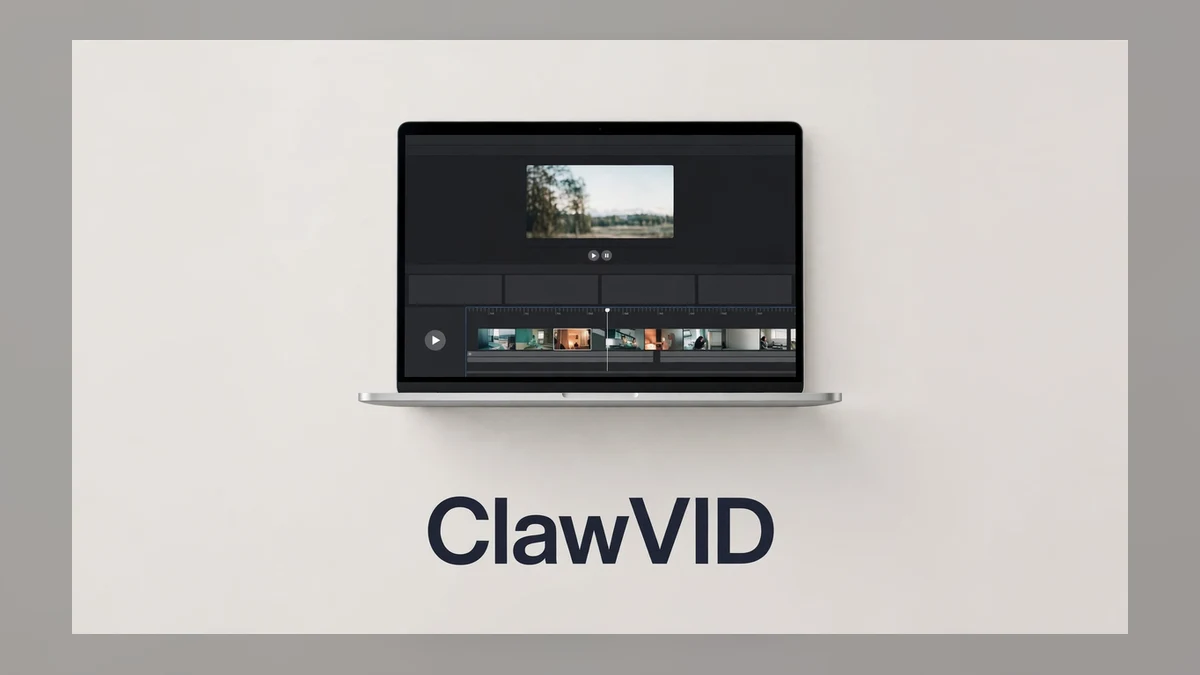
Short AI clips are easy now. A complete 20-minute video is not. Script, scenes, voiceover, music, captions, thumbnail, metadata — each step is simple on its own. Together, they eat a whole afternoon.
ClawVID promises to collapse all of that into one prompt. Type an idea, and its “OpenClaw-powered” agent builds a finished 5 to 30-minute video. The launch price is $17, one time. That is the pitch. And honestly, it is a good pitch — long-form video is the one place where AI automation would actually save real hours.
But a $17 one-time price for 30 minutes of AI-generated video raises a question no sales page answers directly. Video, voice and image generation cost real computing power. Somebody pays for every render. So this review looks at what the $17 buys. It also looks at what sits behind it in the funnel. And it looks at the gaps in the public proof that buyers should know about before paying.
Disclosure: This review contains affiliate links. We may earn a commission if you buy through our links, at no extra cost to you.
How we reviewed it: We did not run ClawVID ourselves. No independent reviewer we found had a paid account either. The facts below come from the public sales and JV pages, plus two detailed independent reviews — SanishTech and TikaReview. We checked them on 28 November 2026. Vendor claims are flagged where they could not be independently verified. Prices were launch-period prices and may have changed. The checkout page is the final word.
ClawVID is an AI video agent from Seun Ogundele, launched 26 August 2026. It turns one idea or a pasted script into a complete 5 to 30-minute video. The front end was $17 one time at launch. It suits faceless-video creators who will fact-check and edit the output. The public demo is a placeholder, so check the checkout limits first.
What Is ClawVID?
ClawVID is a cloud-based AI video production platform. You enter a topic and pick a runtime between 5 and 30 minutes. Then you choose a voice and language. The system plans the whole production: script, scene breakdown, visuals, AI narration, background music, captions, transitions, thumbnail and YouTube SEO metadata.
The vendor, Seun Ogundele, describes it as an autonomous agent built on OpenClaw. That word does a lot of work in the marketing. OpenClaw is a real open-source AI agent framework. Its own documentation describes provider-based generation that becomes available after a provider and an API key are configured. That does not prove ClawVID asks buyers for their own API keys. It does make the “unlimited, lifetime compute” promise worth a direct question to the vendor before you buy.
It is aimed at faceless YouTube channels, explainers, documentaries, tutorials, product videos, VSLs and online courses. In short, anyone who wants long videos without a camera, a microphone or an editing timeline.
One naming note, because search results make a mess of it. There is also a separate open-source project called ClawVid for short-form video. No verified connection exists between that repository and this commercial product, so we did not use it as evidence here. The “Claw” family on LaunchpadJV is a crowded one too. ClawBook is a publishing agent (we reviewed it here), ClawPilot is a content agent, and ClawChannel builds YouTube channels. Different products, different vendors, different jobs. Do not buy one expecting another.
Key Features
The feature list is broad. That is the point of the product — one workflow instead of six tools. Here is what the public offer actually lists.
- OpenClaw autonomous production engine: the layer that plans the video, breaks it into tasks and moves each stage toward the final render.
- Long-form script engine: scripts structured with hooks, chapters, transitions and calls to action, built around the runtime you chose. A 20-minute video needs more structure than a short clip, and the script tool is built for that.
- Scene builder: the script is split into scenes, each with its own visual direction, narration, timing and mood. Scenes can be reviewed one by one. Footage that does not fit can be replaced without rebuilding the whole video.
- AI voice and language controls: 50+ voices and 30+ languages listed, with gender, speed and accent settings. Voice quality varies by language, so listen to the finished narration before publishing.
- Music, editing and captions: background music, transitions and timed subtitles are handled inside the same workflow. Captioning a 20-minute video by hand is miserable work, so this matters more than it sounds.
- Thumbnail and YouTube SEO tools: titles, descriptions, tags, chapters, hashtags and thumbnail assets prepared alongside the video. Useful as a starting point. They cannot guarantee rankings or views.
- Advanced controls: target audience, video objective, intro and outro, watermark, citations, sensitive-footage filtering and premium stock where available.
- Paste script option: bring your own finished script instead of using the AI writer. For fact-sensitive topics, this is the safer way to use the tool.
- Export up to 4K where available: 1080p or 4K export is listed. But see the pricing section — the same 4K is also sold as an upgrade.
- Commercial rights: client work is listed as included. Read the actual licence. A vendor’s commercial-use statement cannot grant rights to trademarks, cloned voices or copyrighted material it does not own.
How It Works
The workflow is project-based, which suits long videos — a 20-minute production is rarely finished in one sitting.
- Start a project. Open the dashboard and create a new video. Existing projects stay available to return to.
- Enter your idea. Describe the topic, or switch on “Paste script” and use your own researched script instead.
- Choose the format and runtime. Pick the video type — faceless YouTube, documentary, tutorial, explainer — and a length from 5 to 30 minutes.
- Set the voice. Language, gender, voice and speaking speed. A documentary wants a slower pace than a promo video.
- Generate and review. The system builds the script, scenes, visuals, narration and captions. Review scenes individually, swap footage, regenerate narration for a scene, or regenerate the whole video.
- Export or publish. Export the finished video or use the promised one-click YouTube publishing. The public material does not show this step working, so confirm what permissions it asks for.
What the public material never shows is how much control you get at each checkpoint. Can every script line, scene prompt and caption be edited before the final render? The sales page does not say clearly. That detail decides whether a tool is genuinely useful or just impressive in a demo.
The “OpenClaw-Powered” Question Nobody Asks
Most competing reviews repeat “OpenClaw-powered” as if it were a feature. It is worth slowing down on, because it is the one claim with a real technical consequence.
OpenClaw is an open-source agent framework. Its documentation describes generation that runs through a configured provider, after an API key is set up. That does not prove this commercial product passes its API costs to buyers. But it is exactly the question a buyer should ask, because it decides the economics of the whole offer.
Think about it this way. A 30-minute video means a long script, dozens of images or clips, half an hour of AI narration and a full render. Every one of those steps costs the vendor money on each use. A $17 one-time payment cannot fund unlimited renders forever. Something has to give — and the public pages hint at what gives. The workflow shows credit estimates. A separate Unlimited Edition is sold as an upgrade. The word “unlimited” appears in the base offer and again in the paid bump.
So the honest read is this: the front end almost certainly has usage limits, and the exact limits are not published. Before buying, ask the vendor in writing how many videos, minutes or credits the $17 account includes. Also ask whether any third-party API key or subscription is needed. If you plan to produce videos every week, that answer matters more than any feature on the sales page.
Pricing
Prices below are launch-period figures from the public JV page and independent reviews, checked 28 November 2026. The launch ran 26 August to 2 September 2026, so the live checkout may show different prices now. Treat the checkout total as the current price.
The front end was $17 one time. Coupons listed during launch: CVD3OFF ($3 off), CVD5OFF ($5 off) and CVD20OFF (20% off). Confirm whether any code still works before relying on it.
There is also a Pro Studio order bump at checkout, listed at both $9.95 and $9.97 on different parts of the page. It adds 4K export, batch production, scene styles and priority processing. That is confusing, because 4K is also mentioned in the base offer. Do not add the bump until the checkout explains exactly what it adds.
| Funnel step | Price | What it is |
|---|---|---|
| Front end — ClawVID | $17 | Core long-form video creator, one-time payment |
| Order bump — Pro Studio | $9.95 / $9.97 | 4K, batch production, scene styles, priority processing (price shown both ways) |
| OTO 1 — Unlimited Edition | $67 ($47 downsell) | Higher production capacity, fewer standard-account limits |
| OTO 2 — Done For You Edition | $297 ($197 downsell) | Setup and done-for-you assistance; Gold/Platinum packages listed |
| OTO 3 — Automation Edition | $47 ($27 downsell) | Reduces repetitive production management |
| OTO 4 — 100X Booster Edition | $47 ($27 downsell) | Performance-focused enhancement |
| OTO 5 — Limitless Buyer Traffic Edition | $67–$97 ($77 downsell) | Traffic generation — a separate marketing product, not a video feature |
| OTO 6 — DFY Money Site Edition | $67 ($47 downsell) | Ready-made affiliate websites |
| OTO 7 — AI Income Site Edition | $47 ($27 downsell) | AI-related site opportunity, not part of the video workflow |
| OTO 8 — Reseller Edition | $197 ($97 downsell) | Sell access to the product under a reseller arrangement |
| OTO 9 — AI Traffic Machine Edition | $47 ($27 downsell) | AI-search visibility and SEO-related traffic |
The nine upsells total about $903 at full price. Add the $17 front end and the roughly $10 order bump, and the maximum displayed path is around $930. Most buyers should never pay that. Only OTO 1, the Unlimited Edition, touches the core video workflow. Even that only makes sense once the standard account has actually limited you. OTOs 5 through 9 are separate business products (traffic, money sites, reselling) bolted onto a video tool’s checkout. Judge each on its own, not as part of ClawVID.
One more pricing flag. The sales page mostly says $17, but other copy mentions $37 once and a future $97 monthly price. The JV terms describe a conditional refund — evidence of implementation and contacting support. The sales page, meanwhile, promises a simple 30-day guarantee. Save the exact terms shown at checkout and in your receipt. The checkout wording is what counts if you ever need a refund.
Front end was $17 one time at launch. Confirm the current price and the 30-day guarantee terms at checkout.
Pros
- Built specifically for long-form video — 5 to 30 minutes, not another short-clip generator.
- One connected workflow: script, scenes, voice, music, captions, thumbnail and SEO metadata in a single project.
- Paste-your-own-script option keeps fact-sensitive topics under your control.
- Scene-level review and media replacement, so a bad scene does not mean rebuilding the whole video.
- 50+ voices and 30+ languages listed, with speed and gender controls.
- Low advertised entry price — $17 one time, versus monthly subscriptions on established video platforms.
- Commercial rights advertised for client work.
- 30-day money-back guarantee listed (terms conflict — see Pricing).
Cons
- The advertised demo is a placeholder. The embedded player opens a six-second unlisted “Convertri Logo” clip, not a ClawVID walkthrough. Output quality, render speed and the dashboard are all unverified.
- No independent reviewer has tested a paid account or rendered a finished video. There is no public evidence of output quality at all.
- 4K and “unlimited” are claimed in the base offer and sold again in the Pro Studio bump and the Unlimited Edition. The tier boundary is unclear.
- Usage limits, credits, fair-use rules and queue behaviour are not published. The workflow shows credit estimates, which suggests the standard account is metered.
- Refund wording conflicts: a simple 30-day guarantee on the sales page, conditional terms (implementation evidence, support contact) in the JV terms.
- Price wording conflicts: $17 in most places, $37 mentioned once, a future $97 monthly price elsewhere. The order bump shows two prices.
- Nine upsells totalling about $903, most of them unrelated to video creation (traffic, money sites, reselling).
- Trust signals are weak: the same testimonial wording appears under two different names, and the JV disclaimer references a different product, “GooglAI”.
- AI output still needs human review — scripts, facts, visuals, voices and YouTube disclosures are your responsibility.
Who It’s For
ClawVID may suit faceless-video creators who already understand YouTube and want to cut repetitive production work. It also fits marketers who need draft explainers, training videos or product videos. And it fits creators who are comfortable fact-checking and heavily editing AI output. The key condition is that you test it promptly, inside the refund window. Do that only after the checkout confirms the limits you need.
Who It’s Not For
Skip it if you expect guaranteed views, subscribers or income — no video tool can promise that. Skip it if you need proven output quality before buying, because none exists publicly yet. Skip it if you will not review scripts, check media rights and add YouTube’s synthetic-content disclosure where required. And skip the upsells entirely until the front end has shown you a specific limitation an upgrade would actually solve.
Before You Publish Anything It Makes
This is the part most competing reviews rush past. It matters more than any feature list. YouTube’s monetization rules treat repetitive or mass-produced content as “inauthentic” and ineligible for monetization. A channel pumping out minimally different automated videos can struggle even without copyright strikes. YouTube also requires creators to disclose meaningfully altered or synthetic content when it looks realistic.
So before any ClawVID video goes live: rewrite and fact-check the script rather than publishing the AI draft untouched. Confirm you have commercial rights to every image, clip, voice and music track. Add original commentary, teaching or storytelling that makes the video meaningfully yours. Inspect captions, pronunciation, visual continuity and factual claims. And use YouTube’s altered or synthetic content disclosure when it applies. The tool can draft the video. The responsibility for what it says is yours.
ClawVID vs the Alternatives
| Approach | Main advantage | Main drawback | Best for |
|---|---|---|---|
| ClawVID front end | One prompt-led workflow, low listed entry price | Demo and usage limits unverified | Experimenters willing to test carefully |
| ChatGPT + Canva or CapCut | Full control over script, visuals and brand style | More manual work moving assets between tools | Creators who want to review every stage |
| Established AI video platform | Public samples, documentation, clearer plan limits | Usually a monthly plan or usage credits | Teams that value predictable support |
| DIY OpenClaw workflow | Maximum control over models and automation | Needs configuration, API keys and troubleshooting | Developers and automation specialists |
The comparison that matters is the middle one. If you already produce videos efficiently with separate tools, ClawVID has to save enough coordination time to justify the move. If you are new to YouTube, manual review teaches you structure, pacing and retention in a way maximum automation never will.
Our Verdict
ClawVID targets a genuine pain point, and we mean that. Turning one idea into a finished long-form video would save hours if it worked well. The workflow on paper is the right shape. Script, scenes, voice, music, captions and publishing assets sit in one connected project. Scene-level editing means a bad take does not sink the whole video.
But the public proof is thin, and we cannot pretend otherwise. The demo is a placeholder. No independent reviewer has rendered a video with a paid account. The offer contradicts itself on price, on 4K, on “unlimited” and on refunds. Those are not small details when they decide what you actually receive for your money.
So here is where we land. ClawVID is a cautious, front-end-only consideration at the listed $17 price — not a proven must-buy. Buy it only if the checkout confirms the capabilities and limits you need. Test it immediately, and keep the receipt and the checkout terms. Avoid the nine upsells until the core account shows you a specific limitation one of them genuinely solves. And do not buy it because the sales page hints that automated videos produce traffic or income. Buy it, if you buy it at all, as a production assistant. It still needs your research, your editing and your judgment on every video it makes.
Frequently Asked Questions
What is ClawVID?
ClawVID is a cloud-based, OpenClaw-powered AI video agent. It turns one idea or a pasted script into a complete 5 to 30-minute video. The video includes the script, scenes, visuals, narration, music, captions, thumbnail and YouTube SEO metadata.
How much does ClawVID cost?
The front end was listed at $17 as a one-time launch payment, with coupons CVD3OFF, CVD5OFF and CVD20OFF. The Pro Studio order bump is listed at $9.95 or $9.97, and nine upsells run from $47 to $297. Confirm the current total at checkout, since launch pricing may have changed.
Is ClawVID really unlimited?
Probably not in the way the headline suggests. The sales page uses unlimited-creation wording, but the workflow shows credit estimates and a separate Unlimited Edition is sold as an upgrade. Ask the vendor to confirm the exact front-end limits in writing before planning high-volume production.
Does ClawVID include commercial rights?
Commercial rights are listed, but read the actual licence before using videos for client work or paid advertising. You remain responsible for copyrighted material, trademarks, cloned voices and the rights attached to generated assets.
Does ClawVID have a money-back guarantee?
A 30-day guarantee is listed on the sales page. The JV terms describe a conditional refund involving implementation evidence and contacting support. Save the terms shown at checkout and in your receipt, and rely on those.
Can ClawVID videos be monetized on YouTube?
There is no guarantee. YouTube treats repetitive or mass-produced content as ineligible for monetization, and realistic synthetic content must be disclosed. Fact-check the script, add original value, and review every video before publishing.
Conclusion
Long-form video is the hardest part of AI content creation to automate, and ClawVID aims straight at it. One idea in, one finished video out, with the boring middle steps handled in a single workflow. If the software performs as promised, $17 is a small price for that.
The problem is the gap between the promise and the proof. A placeholder demo, conflicting prices, unclear limits and no independent output test mean this is a careful trial, not a confident purchase. Check the checkout terms, test the front end fast, and let the software earn the upsells — never the other way around.
See more AI video tools in our AI tools directory.
Front end was $17 one time at launch. Confirm the current price, usage limits and refund terms at checkout before you buy.

Similar Posts





















[…] dashboard is the lower-risk way in. For a closer look at another multi-purpose video tool, see our ClawVID review, or browse the full directory at […]