Ki AI Review 2026: 50+ AI Agents Run Your Whole Workflow
Editor & Lead Reviewer, ToolsProZone
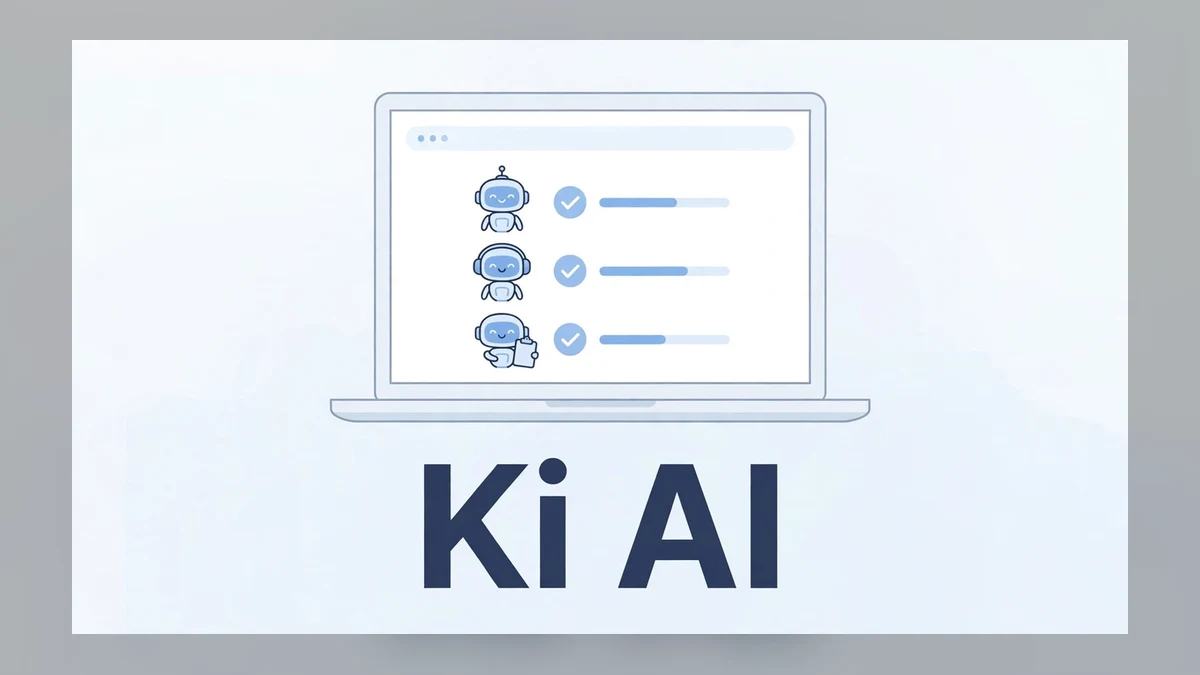
Most AI tools do one job. You ask a question, you get an answer, and the rest is still on you. Ki AI pitches something different. You say what you want once, and a team of AI agents does the work.
That is the promise, anyway. Ki AI is a no-code, cloud-based platform that runs marketing jobs through role-based AI agents. One agent researches. Another writes the copy. Another scripts the video. They pass the work along in sequence, so a full campaign comes out of one brief.
The front end costs $15.99 once, according to independent reviews. Behind it sit nine upgrades that can take the total past $1,000. This review looks at what the platform actually does, what the $15.99 buys, and where the honest limits are.
Disclosure: This review contains affiliate links. We may earn a commission if you buy through our links, at no extra cost to you.
How we reviewed it: We did not run the Ki AI app ourselves. The facts below come from two independent reviews (RankMarket and MyBlogGuides) plus published reviews of the underlying Kimi engine from Moonshot AI. Vendor claims are flagged where they could not be independently verified. Prices were checked against those sources on 28 November 2026. No independent hands-on test of the live Ki AI dashboard exists yet, so treat performance claims as reported, not tested.
Ki AI is a no-code, cloud-based platform that sends teams of AI agents to do marketing work for you. You describe a goal in plain language, and its agents handle the research, copy, video and funnel steps in sequence. It costs $15.99 once, with a 30-day guarantee reported. It is a wrapper on Moonshot AI’s Kimi engine, not Kimi itself.
What It Is
Ki AI is a cloud-based SaaS platform. It runs in the browser, with no install and no code. You type a goal in plain language, and it builds a workflow of AI agents to carry it out.
The word “agentic” does a lot of work here. A normal chatbot answers one prompt at a time. Ki AI assigns a job to a set of agents, each with a role. The research agent finds the angles. The copy agent writes the landing page. The video agent scripts the sales video. The automation agent queues the follow-up emails. Each agent hands its output to the next one.
RankMarket reports the platform can run 50 to 300 agents per workflow. That upper number is a vendor claim, and no independent test has shown it in action. Even so, the idea is clear: this is built for volume, not for one-off chats.
It targets marketers, solo creators, coaches and small agencies. The use cases are sales funnels, content pipelines, video assets, lead generation and app prototyping. If you produce campaign assets every week, that is the audience. If you write one newsletter a month, it is probably more tool than you need.
Ki AI Is Not Kimi — Don’t Mix Them Up
The name causes real confusion, and the competing reviews do not help. Here is the short version.
Ki AI is a LaunchpadJV product. It is a wrapper built on a variant of Moonshot AI’s Kimi engine. Kimi is Moonshot AI’s own assistant, sold on kimi.com with monthly plans from $19 to $199. Buying Ki AI does not give you a Kimi subscription, Kimi API access, or Moonshot’s own tools. The engine powers the tool. They are not the same product.
Two other names add to the mess. “KI” is simply the German word for artificial intelligence. “Kiai” is a martial arts term. And Ki3 AI is a different LaunchpadJV product entirely, from another vendor. If a review talks about 3D websites and agent swarms, it is probably describing Ki3 AI, not Ki AI.
That confusion matters for buyers. Kimi’s own reviews praise the K3 model for coding and long tasks. Those results belong to Kimi, not to Ki AI. Judge Ki AI on what its own reviews actually report.
Key Features
Multi-agent “AI armies.” This is the core. You define a goal, and Ki AI activates role-based agents for each layer of the job. Pre-built bundles exist for e-commerce, SaaS, coaching and local businesses. The agents pass outputs downstream, so the workflow moves without manual steps in between.
Content and copywriting suite. More than 50 templates cover email sequences, ad copy, landing pages, blog posts and video scripts. You set brand voice parameters at the start of a project, and the system adapts tone to them. The outputs follow a fixed structure for each asset type, which means fewer rewrites before the copy is usable.
Video and visual generation. A script-to-video pipeline turns a prompt into a video asset with AI avatars, B-roll footage and captions. It adjusts aspect ratios for YouTube, Instagram Reels and Shorts. It also makes thumbnails and static graphics for social posts and paid ads.
Lead generation and funnels. The platform builds opt-in pages, lead capture forms and full sales pages, then wires them into automated email sequences that trigger on user behaviour. It connects with CRM tools and email providers to carry the automation forward.
Workflow builder and integrations. A visual pipeline follows a trigger, agents, outputs, publish sequence. Integrations cover Google Workspace, Zapier-style connectors and social scheduling tools. Workflows are reusable: build a weekly content engine once, schedule it, and it runs without fresh prompting.
How It Works
The process has six steps, and the first one matters most. Sign up, then set your context: niche, brand name, tone and content goals. That choice decides which agent bundles and templates the platform shows you first.
Next, pick an agent bundle or build your own from the agent library. Then describe your goal in plain language, for example “build a webinar funnel for a business coach targeting solopreneurs.” Ki AI proposes a workflow and assigns agents to each task layer.
Before anything runs, you see the proposed sequence: which agents run, in what order, and what each one will produce. You can adjust roles, swap templates or add steps. Once you approve, the agents run in sequence and the outputs land in a dashboard for review. You approve, regenerate or export each asset. Landing pages can publish directly; video files export in standard formats.
RankMarket says one representative session produced a five-asset campaign package in under two hours. That claim is unverified, and there is no screen recording to check it against. Treat it as a vendor-style anecdote, not a measured result.
Ki AI vs Kimi: The Comparison That Matters
Most buyers will wonder whether to buy Ki AI once or subscribe to Kimi monthly. The honest answer depends on what you want.
| Ki AI | Kimi (Moonshot AI) | |
|---|---|---|
| What it is | LaunchpadJV wrapper product on a Kimi-engine variant | Moonshot AI’s own assistant and agent workspace |
| Price | $15.99 once, plus nine optional upgrades | Free tier, then $19–$199 per month |
| Agents | Role-based marketing agents, 50–300 claimed per workflow | Agent Swarm with up to 300 sub-agents on paid plans |
| Best for | Marketing funnels, copy, video and lead gen in one dashboard | Research, coding, slides, spreadsheets and long documents |
| Data home | Not published; engine is Moonshot AI’s | Data stored in mainland China, per its privacy policy |
Ki AI wins on price and on the marketing workflow. One payment, no monthly bill, and the agents are set up for campaigns rather than general chat. Kimi wins on depth: its K3 model is rated among the strongest open models for coding and long tasks, and its workspace handles documents, code and research that Ki AI does not claim to do.
One warning applies to both. Kimi’s privacy policy says data is stored in mainland China, and its Trustpilot score sits at 1.6 out of 5 from 41 reviews, mostly about limits and billing. Those are Kimi reviews, not Ki AI reviews, but Ki AI runs on the same engine family. If you handle sensitive client data, read the terms before you upload anything.
Pricing
Pricing checked 28 November 2026 against the two independent reviews. The RankMarket page itself was last crawled on 18 August 2026, so these prices may have moved since. Check the checkout page before paying.
| Funnel item | Price |
|---|---|
| Front End — Ki AI | $15.99 one-time |
| OTO 1 — Unlimited Edition | $47–$97 one-time |
| OTO 2 — 100K DFY Prompts Pack | $37 one-time |
| OTO 3 — Agency License | $97–$167 one-time |
| OTO 4 — PageMate AI Website & Funnel Builder | $27 one-time |
| OTO 5 — TrafficPilot | $37 one-time |
| OTO 6 — Profit Niche Sites | $27 one-time |
| OTO 7 — Affiliate Empire | $37 one-time |
| OTO 8 — Reseller License | $67–$147 one-time |
| OTO 9 — White Label License | $247–$497 one-time |
The front end includes the full platform with basic generation limits and a commercial licence, plus a 30-day money-back guarantee as reported by RankMarket. The all-in cost, front end plus every upgrade, runs from about $639 at the low end of each range to about $1,089 at the high end.
That gap is where the pricing gets tricky. The Unlimited upgrade is the one most buyers will feel first, because the front end caps how much you can generate. The Agency, Reseller and White Label upgrades are licences, not features: they let you sell client work or resell the tool itself. Do not buy them unless you have clients or a resale plan in mind. No coupon code for Ki AI was published in either independent review we found.
One-time payment from $15.99 · 30-day money-back guarantee reported by reviewers
Pros
- One dashboard for the whole campaign. Copy, video, graphics, funnels and email sequences come out of a single workflow, with no export and re-upload between tools.
- Real multi-agent structure. Role-based agents that hand work downstream are a genuine step past single-prompt chatbots, at least on paper.
- Cheap to try. $15.99 once, with a 30-day guarantee reported, is a low-risk way to test a multi-agent workflow.
- Reusable workflows. Build a content engine once and run it on a schedule, which is where the time savings actually compound.
- Commercial licence included. You can sell the assets you create to clients without buying a separate licence tier.
Cons
- No independent hands-on test exists. No reviewer we found has published a verified run of the live dashboard, a screen recording, or sample outputs. Every capability claim traces back to vendor material.
- The main competing review sells the product. RankMarket’s Ki AI page offers its own $16 group-buy account. Its praise is a sales pitch as much as a review, and it never flags that conflict.
- Upsell pressure is built in. The front end caps generation, and the Unlimited upgrade exists to remove those caps. Heavy users will likely need at least OTO 1, which doubles or triples the real cost.
- Generic output risk. Vague briefs produce template-sounding copy. You need a real brand voice guide and specific inputs, or the agents will give you what everyone else gets.
- Learning curve before payoff. Multi-agent workflows take two to three days to set up properly, per RankMarket. Users who skip that setup get weak results and blame the tool.
- Data questions unanswered. No privacy or data-handling terms for Ki AI itself were published in the reviews we found, and the underlying engine is Chinese-owned. That matters for client work.
Who It’s For
Ki AI fits people who produce campaign assets at volume. Solo creators, coaches and consultants who build funnels every month will get the most from it. Small agencies managing several clients can clone workflow templates instead of rebuilding each campaign from scratch. E-commerce brands with steady launch cycles are another natural fit.
It is a poor match for everyone else. Hobbyists with no commercial output will struggle to justify even $15.99. Developers who want model-level control, local inference or custom pipelines will find the no-code wrapper limiting. And regulated businesses in finance, healthcare or legal work should not put client data into a cloud tool whose data terms are unpublished.
Our Verdict
Ki AI is a fair idea at a fair price, wrapped in a funnel that asks for a lot more. The $15.99 front end buys a genuinely useful concept: describe a goal once, and a chain of agents produces the campaign assets. For a solo creator who already knows their niche and voice, that could save real hours each week.
But the honest picture has gaps. Nobody independent has shown the dashboard working. The main review praising it is also selling it. And the full funnel costs $639 to $1,089, not $15.99, once you count the upgrades most serious users will want. Add the unanswered data questions, and this is a tool to test, not a tool to bet a business on.
Our advice: buy the front end only, run one real campaign through it, and judge the output against what your current tools produce. If the agents save you measurable time, consider the Unlimited upgrade. Skip the Agency, Reseller and White Label tiers unless you already have clients waiting. If you want a deeper comparison first, our Universal AI review covers another all-in-one AI platform, and the full list is in the tools directory.
Frequently Asked Questions
What is Ki AI?
Ki AI is a no-code, cloud-based platform that runs marketing work through teams of AI agents. You describe a goal in plain language, and agents handle research, copywriting, video scripting, design and automation in sequence. It is built on a variant of Moonshot AI’s Kimi engine.
Is Ki AI the same as Kimi?
No. Kimi is Moonshot AI’s own assistant, sold on kimi.com from $19 a month. Ki AI is a separate LaunchpadJV product that uses a Kimi-engine variant as its core. Buying Ki AI does not give you a Kimi subscription or API access.
How much does Ki AI cost?
The front end costs $15.99 once, with a 30-day money-back guarantee reported by reviewers. Nine optional upgrades sit behind it, from $27 to $497 each. The full funnel runs about $639 to $1,089. Prices were checked on 28 November 2026 and may have changed since.
Do I need coding skills to use Ki AI?
No. The workflow builder is visual, the agent bundles are pre-configured, and you give instructions in natural language. Business sense helps more than technical skill: users who understand funnels, email sequences and offers get better output than users who treat it as a black box.
Can Ki AI replace my copywriter or video editor?
For repeatable first drafts, yes, it can cover a large share of what a junior copywriter or editor does. It does not replace judgment, creative direction or brand-level editing. The practical model is Ki AI for volume and a human for the final layer, especially for anything legal, medical or financial.
Is my data safe with Ki AI?
We could not verify that. No data-handling terms for Ki AI itself were published in the independent reviews we found. The underlying engine comes from Moonshot AI, a Beijing company, and Kimi’s own privacy policy says data is stored in mainland China. Review the terms before uploading sensitive client material.
Conclusion
Ki AI promises the simplest pitch in AI marketing: say it once, and the agents handle the rest. The platform behind the pitch is real enough — multi-agent workflows, 50+ templates, script-to-video, funnels and automation in one dashboard — and $15.99 is a low price to test it. What is missing is proof. No independent test, no screen recording, no verified output, and a main competing review that doubles as a sales page.
Go in with that understanding. Test it on one real campaign, judge the output honestly, and only then decide whether the upgrades are worth it. That is the only way a tool like this earns its place in your stack.

Similar Posts