Unlimited Movie Review 2026: Idea to Film in One Dashboard
Editor & Lead Reviewer, ToolsProZone
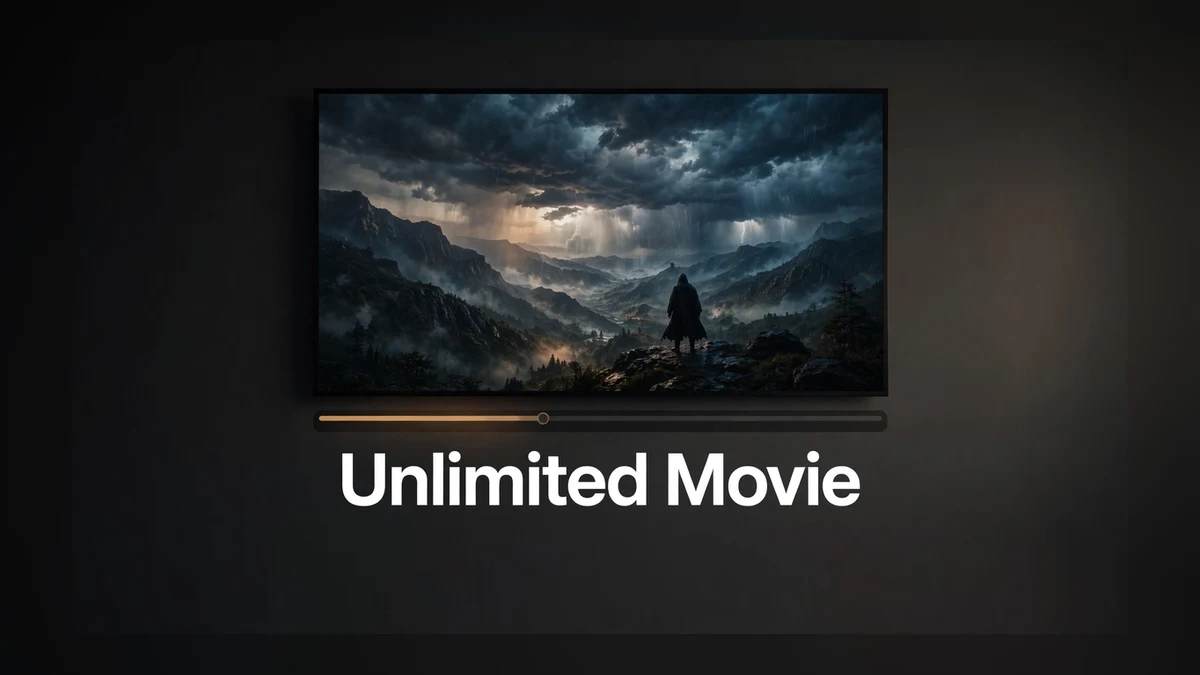
Making a movie used to mean a script, a cast, cameras, a crew and an editing suite. Unlimited Movie promises to replace all of that with a single dashboard. Type an idea, and the platform writes the script. It builds the scenes. It casts AI actors. It adds voices and music. Then it edits the finished film. It comes from creator Uddhab Pramanik of InSource Apps. It is aimed at YouTubers, marketers and creators who want cinematic-style video without a production team. This review checks what independent reviewers could actually verify. It also looks at where the “unlimited” pitch needs a closer look before you buy.
Unlimited Movie is the LaunchpadJV listing name for AiMovie Maker Unlimited Edition, a cloud-based AI movie creation platform. Instead of separate tools for scripting, visuals, voice acting, sound design and editing, it puts the whole pipeline in one dashboard. An AI script studio writes the screenplay. A scene generator builds cinematic visuals and characters. A voice studio adds dialogue and narration. A built-in editor lets you polish the result before export. A commercial licence is reported as included, so videos you make can be sold to clients. For a related read on the same vendor’s earlier movie tool, see our Ai Movie Director review — and browse the ToolsProZone directory for more AI tools.
Disclosure: This review contains affiliate links. We may earn a commission if you buy through our links, at no extra cost to you.
How we reviewed it: We did not run Unlimited Movie ourselves. The facts in this review come from the vendor’s launch material and independent reviews built from it. We cross-checked them across sources. Prices, upgrades and the guarantee below are as reported by those independent reviews. They may have changed. Check the official page before buying.
Unlimited Movie (AiMovie Maker Unlimited Edition) is a cloud-based AI movie studio launched in October 2026. It turns an idea, script, story, eBook or URL into a finished movie — screenplay, scenes, consistent characters, lip-synced dialogue, voices, music and captions — in one dashboard. The front end was reported at $14.95 one-time during launch, with a 30-day money-back guarantee and a commercial licence included.
– One dashboard for the whole movie pipeline: script writing, scene generation, character consistency, dialogue with lip-sync, voices, music, effects and captions. No install — it runs in the browser on any device.
– Starts from almost anything: a one-line idea, a story, a script, an eBook or a URL becomes a screenplay with acts, dialogue and a shot list.
– Voices are a strong point on paper: hundreds of AI voices, voice cloning, accents and dubbing in 30+ languages, with separate dialogue, music and effects stems.
– Front end reported at $14.95 one-time at launch with a 30-day guarantee, plus eight optional upgrades from $37 to $197 as reported.
– The catch is in the word “unlimited”: the front end runs in a Standard Mode with scene-by-scene builds, a shared render lane, shots up to 15 seconds and a small cast. Feature-length films and faster rendering sit in the first upgrade.
What It Is
Unlimited Movie is a web app that handles the whole production chain for a short or long AI film. You give it a premise, a written story, an eBook or a web page. It drafts a screenplay with acts, dialogue and a shot list. From there it generates each scene. It keeps your characters looking the same from shot to shot. It adds voices with lip-sync. It scores the film with royalty-free music and sound effects. Then it lays captions on top.
The problem it targets is real. AI video today is fragmented. One tool writes the script. Another generates five-second clips. A third does voices. A fourth edits. Each one charges by the second or by credits. Unlimited Movie’s pitch is to collapse that chain into a single one-time purchase. You get one dashboard, one history of every project, and a commercial licence so you can sell what you create.
One clarification to avoid confusion: Unlimited Movie is not the same product as Ai Movie Director, even though both come from Uddhab Pramanik and both make AI movies. Ai Movie Director is the earlier tool. Unlimited Movie is the newer Unlimited Edition launched on 21 October 2026 through LaunchpadJV. It has a different dashboard and a different upgrade funnel. Treat them as siblings, not the same app.
Key Features
- AI Script Studio: An idea, story, eBook or URL becomes a screenplay with acts, scenes, dialogue and a shot list. Structure is drafted before you touch a scene.
- Scene generator: Cinematic footage from text or a reference image. Camera moves include pans, tilts, dolly and drone shots, plus lighting and film-look presets. Shots look directed rather than like a slideshow of stills.
- Character Studio with photo-to-character: Locks a character’s face, outfit, age and style across every scene. You can build a character from a photo. That is the main thing that makes an AI series watchable.
- Dialogue, lip-sync and voice cloning: Multi-character dialogue is lip-synced with emotion and tone control. The voice library has hundreds of voices, voice cloning, accents and dubbing in 30+ languages. One movie can be re-released in several languages without re-recording.
- Music, sound effects and auto-mixing: The app composes original royalty-free scores and full songs with AI vocals. It adds sound effects and mixes them automatically. Dialogue, music and effects stems export separately as MP3 or WAV.
- Built-in editor, VFX and captions: A timeline editor covers colour grading, transitions, titles and credits. Auto captions and animated subtitles are built in. The film is finished inside the app instead of being exported to a second editor.
- Shorts auto-cutter and multi-ratio export: Finished movies are cut into Shorts, Reels and TikToks automatically. The 16:9, 9:16 and 1:1 versions render together, in HD or 4K.
- Template Vault and prompt library: Templates cover trailers, short films, kids’ animation, faceless channels, ads, book-to-movie and music videos. One review notes the vault and prompt library are listed both as a front-end feature and as a bonus for the first 100 buyers, so confirm what you actually receive.
- Trending Genres and Movie Ideas: The dashboard shows which movie niches are trending. It turns a genre, a mood and a few keywords into movie concepts.
- Commercial licence included: The front end reportedly includes a commercial licence so finished movies, trailers, ads and dubbed versions can be sold or used for client work.
- Cloud-based, any device: Runs in the browser on Windows, macOS, Android, iOS and tablets, with no install.
How It Works
- Log in: Sign in to the web dashboard with the details sent to your checkout email and open it in any browser.
- Start a project: Pick a template from the vault, or paste your idea, script, eBook text or URL into the script writer.
- Set your cast: In the Character Studio, upload a photo or design a character, then assign voices and languages.
- Generate scenes: Build the movie scene by scene from scratch or from a template. Adjust camera moves and film looks. Review dialogue lip-sync on the timeline.
- Add music, effects and captions: Score the film, add sound effects, and let the auto captions lay subtitles on top.
- Export and repurpose: Pick 16:9, 9:16 and/or 1:1 and export in HD or 4K. Then run the Shorts auto-cutter to turn the finished movie into short clips for YouTube Shorts, Reels and TikTok.
That is the workflow on paper. Your real job is the part the six steps skip: checking the output before it goes live. AI-generated video can have mangled hands, drifting faces and garbled text. AI-written dialogue can sound wooden. A tool that bundles a dozen stages is only as good as the weakest one in the chain. Treat every output as a first draft. Watch it, listen to it, and test it before it represents your business.
Pricing
The front end was reported at $14.95 as a one-time payment during the October 2026 launch, with lifetime access and a 30-day money-back guarantee. One source instead lists a $17 early-bird price in the vendor’s JV document, rising by $0.01 every hour. Sources disagree, so treat $14.95–$17 as reported launch figures, not a guaranteed price. The purchase was reportedly covered by a 30-day guarantee on direct purchases. The front end reportedly includes a commercial licence. A $9.95 Unlimited AI Turbo upgrade is offered as an order bump on the checkout form.
The funnel has eight optional upgrades. One review counts nine. Sources disagree on the count, and two upgrade prices are only shown at checkout. All of them are optional. The front end works on its own. But the sales and upgrade pages do not print every price, so the figures below come from independent reviews. They are reported launch figures, not guaranteed prices:
- OTO 1 – MAX Edition: Feature-length mode for 60–120 minute films with continuity, chapters and credits. A private priority render lane the vendor rates up to 5x faster, with batch and parallel rendering. 8K, 60fps and HDR cinema models with single shots up to 60 seconds. Unlimited cast per film and motion capture from an uploaded clip. Reported at $37 (Silver) or $47 (Gold). Gold adds series mode, orchestral scores with surround stems, a VFX lab, auto-publishing to four social networks and a B-roll library.
- OTO 2 – DFY Edition: 100 ready-made movies and trailers plus 200 complete screenplays. 20 series packs with 200 episode scripts and 100 pre-built casts with matched voices. 50 cinematic ad packs with rebrand rights and monthly content drops. Reported at $47 (Silver) or $67 (Gold).
- OTO 3 – Ai MovieSite OTT: Build a Netflix-style streaming site with your logo, colours and custom domain. Sell subscriptions, rentals, pay-per-view or ad-supported access through Stripe, PayPal or Razorpay. Hosting with streaming up to 4K, an installable app, smart-TV layout and casting. Reported at $67 (Silver) or $97 (Gold).
- OTO 4 – Unlimited Traffic: Cuts each movie into 50+ captioned clips and schedules 30-day posting calendars on seven networks. Trend and hook finder, YouTube ranking tools and a trailer ads builder. Lead pages, email sequences, link-in-bio pages, QR codes and UTM tracking. Reported at $97.
- OTO 5 – Enterprise: 25 team seats with roles and approval workflows. Dedicated render capacity (up to 10 parallel renders) and bulk production from a CSV or Google Sheet. API, webhooks, Zapier/Make, WordPress and Shopify plugins, brand kits, SSO and audit logs. Reported at $147. Does not include reseller rights.
- OTO 6 – Agency Gold: Create agency and client accounts and sell AI video services under your own brand. Price shown at checkout.
- OTO 7 – Franchise License: Resell the product with done-for-you sales pages and funnels. The vendor handles delivery and support. Price shown at checkout.
- OTO 8 – White Label: A hosted, rebranded copy of the software under your own name and domain, with relaunch rights and setup help. Reported at $197.
One review totals the full funnel at about $913 on top of the front end — roughly $928 all in — and calls the realistic working setup the front end plus OTO 1 MAX, at $81.95. That is the number to judge value by, not the $14.95 headline price.
The vendor’s materials also list coupon codes AIMOVIE35 (35% off), AIMOVIE5 ($5 off) and AIMOVIE20OFF ($20 off on an upgrade pop-up). We have not tested them, so enter a code at checkout and check that the cart total goes down before you pay.
A third-party reseller, RankMarket, sells the front end plus the first three upgrades as a bundle for $27 one-time. That is noted here as reported, not as a recommendation. Our link goes to the vendor’s own offer.
Front end reported at $14.95 one-time with a 30-day guarantee — confirm the current price before buying.
Pros and Cons
Pros
- Full pipeline in one app: script, scenes, characters, voices, music, captions and export live in a single browser dashboard instead of five subscriptions.
- One-time pricing: no credit meter or per-second billing is stated by the vendor, and there is no monthly fee for the front end.
- Strong voice offering on paper: hundreds of voices, voice cloning and 30+ languages for dubbing, with separate audio stems.
- Character consistency and photo-to-character: recurring hosts or mascots stay recognisable across scenes, which is what makes an AI series watchable.
- Three aspect ratios and 4K export from one render: one long video feeds a week of short-form posts through the auto-cutter.
- Commercial licence and 30-day guarantee: client work is covered, and direct purchases carry a money-back guarantee as reported.
Cons
- “Unlimited” needs an asterisk: the front end runs in Standard Mode — scene-by-scene builds, a shared render lane that can wait at peak hours, shots up to 15 seconds each, a small cast and manual publishing. Feature-length films, 8K, 60-second shots and the faster lane sit in OTO 1, not the front end.
- Fresh launch, no track record: launched 21 October 2026, so there are no independent long-term reviews yet and no evidence of how it holds up after the launch window.
- A long, overlapping funnel: eight or nine upgrades (sources disagree) totalling over $900, with several features — such as the Shorts cutter — appearing in both the front end and an upgrade.
- Prices and counts vary by source: the front end is listed as $14.95 or $17 depending on the source, the OTO count is 8 or 9, and two upgrade prices only appear at checkout.
- Output quality is unverified: AI video varies by prompt and model, and the vendor’s sample descriptions are not something we have watched being made. “Hollywood-quality” output claims are vendor marketing, not verified results.
- Scarcity timers and counters: the upgrade pages show “25 spots” counters and countdowns that reviewers note look static. Treat them as sales tactics, not real limits.
Who It’s For
- Faceless YouTube and TikTok channel owners: People who want story videos, explainer films and Shorts without appearing on camera.
- Authors and course creators: People who want to turn a book chapter or a lesson into a narrated, illustrated movie or trailer.
- Marketers and local businesses: People making 15-second ads, product trailers and real-estate promos in all three aspect ratios at once.
- Freelancers and small agencies: People delivering video work to clients under the included commercial licence.
- Beginners: People starting from the template vault and prompt library instead of a blank timeline.
Who It’s Not For
- Anyone needing frame-accurate professional editing, broadcast-grade colour pipelines or full control over every camera move: A traditional editor plus a dedicated generative model will serve you better.
- Buyers who only make one or two videos a year: A free trial of a mainstream AI video tool may be enough.
- Buyers who take “unlimited” literally: If you need feature-length films, 8K output or fast parallel rendering, budget for OTO 1 MAX on top of the front end.
- Anyone expecting proven, enterprise-stable output today: This is a fresh launch with no long-term track record yet.
Our Verdict
Unlimited Movie is a good fit for creators who want story-based AI video at a one-time price and can live with a new tool. The idea-to-movie pipeline is genuinely broad. Script, scenes, characters, voices, music and captions are in one place. And $14.95 for the front end is cheap for what it claims to cover. But judge it on the realistic setup, not the headline. The front end is a Standard Mode with real limits. The full experience most buyers will want starts at $81.95 with OTO 1 MAX. If you buy, do it for the pipeline and the one-time price. Check the checkout total before paying. Use the 30-day guarantee if the output does not match the pitch. Skip it if you need proven, enterprise-stable output today.
Related: our Ai Movie Director review covers the same vendor’s earlier movie tool, and you can browse more AI tools in the ToolsProZone directory.
Frequently Asked Questions
What is Unlimited Movie?
Unlimited Movie is the LaunchpadJV listing name for AiMovie Maker Unlimited Edition, a cloud-based AI movie maker from Uddhab Pramanik of InSource Apps. According to the vendor, it turns an idea, script, story, URL or eBook into a finished movie with consistent characters, dialogue, lip-sync, voices, music, effects and captions, with no credits and no watermark.
How much does Unlimited Movie cost?
The vendor’s sales page shows a $14.95 one-time launch price. The vendor’s JV document instead lists a $17 early-bird price that rises $0.01 every hour. There are also eight optional upgrades from $37 to $197 and a $9.95 checkout offer. Confirm the price on the checkout page before buying.
Is there an Unlimited Movie coupon code?
The vendor’s materials list AIMOVIE35 (35% off), AIMOVIE5 ($5 off) and AIMOVIE20OFF ($20 off on an upgrade pop-up). We have not tested them, so enter a code at checkout and check that the cart total goes down before you pay.
Is Unlimited Movie really unlimited?
The short answer is: the vendor says you can make unlimited movies with no credits or caps. Its own first upgrade page adds that the front end runs in a Standard Mode, with scene-by-scene building, a shared render lane, shots up to 15 seconds and a small cast. The limit is on how big each movie can be, not how many you make. Feature-length films and faster rendering need the MAX upgrade.
Does Unlimited Movie have a money-back guarantee?
Yes, as reported: direct purchases carry a 30-day money-back guarantee from the vendor. Check the guarantee terms on the checkout page before buying, since launch terms can change.
Conclusion
Unlimited Movie packs an unusually wide movie-making pipeline — script, scenes, characters, voices, music, captions and 4K export — into one browser dashboard for a reported $14.95 one-time. That breadth is the real selling point. The honest catch is that “unlimited” describes how many movies you can make, not how big each one can be. The front end’s Standard Mode caps shot length and cast size, and the feature-length, 8K, fast-lane experience lives in the MAX upgrade. If that trade-off works for you, it is a cheap way to start making story-driven AI video. Just confirm the checkout price, test the output early, and lean on the 30-day guarantee if it does not deliver.
Similar Posts