WPGraft Review 2026: Clone Any Web Design into WordPress
Editor & Lead Reviewer, ToolsProZone
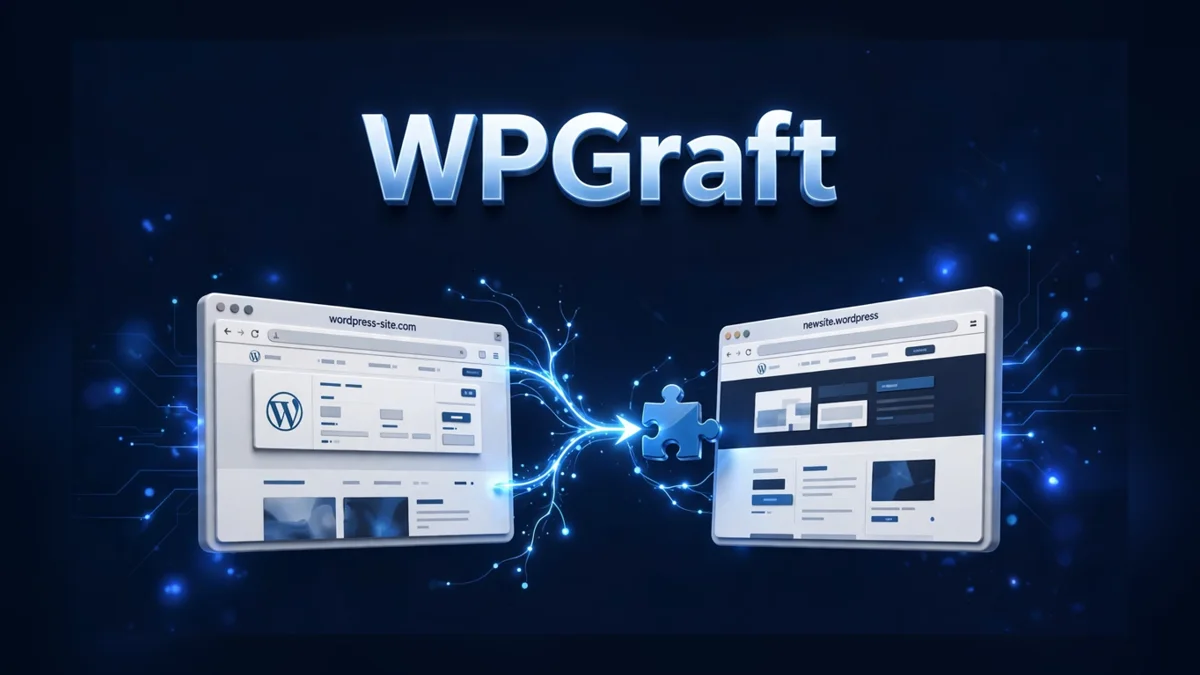
WPGraft is a powerful tool for cloning websites into various page builders, making it easy to replicate designs. This review provides an in-depth look at its features, user experiences, installation process, and comparisons with alternatives to help you decide if WPGraft suits your needs.
Short answer: WPGraft is a WordPress plugin that turns an existing design into a working website by copying designs directly into WordPress and optimising the result for speed. It suits web designers, agencies, freelancers and small businesses that want a faster way to build custom sites without starting from scratch.
We may earn a commission if you buy through our links, at no extra cost to you.
Overview of WPGraft Review
WPGraft is a WordPress plugin designed to simplify copying any public web page into your preferred page builder, such as Elementor, Divi, or Gutenberg. By transforming website sections into editable elements, it eliminates the need for manual recreation, saving users time and effort.
Key Features of WPGraft
Cloning Capabilities
WPGraft excels in cloning capabilities, allowing users to copy entire sections or individual elements from any public webpage. The plugin captures the layout and styling, converting it into native elements within your chosen page builder. This functionality is especially beneficial for web designers and developers who frequently recreate layouts.
Compatibility with Page Builders
WPGraft is compatible with various popular page builders, including Elementor, Divi, Gutenberg, Beaver Builder, and Webflow. This versatility means you can use the same tool regardless of your preferred platform, making it ideal for agencies working with different clients.
Image Handling
One standout feature of WPGraft is its efficient image handling. When a webpage is cloned, the tool automatically imports the necessary images into your WordPress Media Library, rewriting their URLs. This ensures that your cloned site remains intact even if the original source changes.
User Interface
The user interface of WPGraft is designed for ease of use. With a straightforward setup and intuitive controls, users can quickly navigate through the cloning process. The plugin integrates smoothly with the existing builder interface, allowing for a seamless experience.
User Testimonials
Positive Feedback
Many users praise WPGraft for saving time and effort in website design. Testimonials often highlight the accuracy of cloned elements and the ease of editing them afterward. Users appreciate the tool’s efficiency, especially when dealing with complex layouts.
Common Issues
While WPGraft is generally well-received, some users report issues with specific page builders or occasional glitches during the cloning process. It’s essential to verify compatibility with your preferred builder before diving in.
Installation Guide
Step-by-Step Installation
- Download the WPGraft Plugin: Obtain the plugin from the official WordPress repository or the WPGraft website.
- Install the Plugin: Navigate to the WordPress admin dashboard, go to Plugins > Add New, and upload the WPGraft zip file.
- Activate the Plugin: Once installed, activate the plugin to start using its features.
Browser Extension Setup
WPGraft also offers a browser extension that enhances its functionality. To install:
1. Download the Extension: Find the WPGraft extension in your browser’s extension store.
2. Add to Browser: Click the “Add to Browser” button and follow the prompts.
3. Link to WordPress: Follow the instructions provided to link the extension with your WordPress site.
Pricing Plans
Free vs Paid Options
WPGraft offers both free and paid plans. The free version provides limited features suitable for casual users, while the paid version unlocks advanced functionalities and priority support.
Value for Money
Many users find the paid plan worth the investment due to the time saved and the added features. It’s advisable to evaluate your needs before deciding which plan to choose.
Comparison with Alternatives
WPGraft vs Web2Elementor
Both WPGraft and Web2Elementor offer similar cloning capabilities, but WPGraft stands out with its broader compatibility across various page builders. Web2Elementor is more focused on Elementor, making WPGraft a better choice for users who work with multiple platforms.
WPGraft vs Other Cloning Tools
When compared to other cloning tools, WPGraft’s user-friendly interface and seamless image handling give it an edge. However, users should consider their specific needs and preferences when selecting a cloning tool.
| Feature | WPGraft | Web2Elementor | Other Cloning Tools |
|---|---|---|---|
| Page Builder Compatibility | Multiple | Elementor Only | Varies |
| Image Handling | Automatic Import | Manual Required | Varies |
| User Interface | Intuitive | Moderate | Varies |
| Free Version | Yes | Limited | Yes/No |
| Paid Features | Advanced | Basic | Varies |
Pros and Cons
- Seamless cloning of web pages into editable elements
- Broad compatibility with popular page builders
- Efficient image handling with automatic imports
- User-friendly interface for ease of use
- Some users report bugs with specific builders
- Limited features in the free version
Best Use Cases
For Designers
WPGraft is ideal for designers who need to replicate layouts quickly. Its accurate cloning capabilities save time and allow for a focus on creativity rather than manual recreation.
For Developers
Developers benefit from WPGraft’s ability to streamline the cloning process, making it easier to transfer designs and frameworks between projects.
For Marketers
Marketers can utilize WPGraft to quickly create landing pages by cloning successful designs from other sites, enhancing their campaigns’ effectiveness.
Content Gaps in Competitor Reviews
User Experience in 2026
User experiences in 2026 highlight the importance of seamless functionality and compatibility with the latest page builder versions. Feedback suggests that users prioritize tools that adapt to ongoing updates in web design.
Updates Since Last Year
Since 2025, WPGraft has introduced enhancements to its cloning algorithms, improving the accuracy of copied elements. Continuous updates ensure that the tool remains relevant and effective for users.
Advanced Features
Advanced features, such as the ability to customize styles post-cloning, have been well-received. Users appreciate the flexibility to tweak designs without starting from scratch.
Final Verdict
WPGraft is a highly effective tool for anyone involved in web design or development. Its robust cloning capabilities, compatibility with various page builders, and user-friendly interface make it a top choice in 2026. While some users may encounter minor issues, the overall benefits far outweigh the drawbacks. For those looking to streamline their design process, WPGraft is well worth considering.
Our Verdict
WPGraft is a strong fit for web designers, agencies and freelancers who want to move designs into WordPress faster, with drag-and-drop editing, mobile-friendly results and speed optimisation. The trade-off is that results can vary with design complexity and plugin compatibility, so it suits straightforward custom sites best and may need extra care on complex projects.
Related reading: VidTechy Review 2026 and Creator Lookup Lifetime Deal 2026.
Frequently Asked Questions
How does WPGraft ensure copyright compliance?
WPGraft prompts users to acknowledge their rights to copy content from other sites, placing the onus of compliance on the user. It does not bypass paywalls or access controls, promoting responsible use.
What are the limitations of WPGraft?
WPGraft has limitations including potential bugs with specific page builders and a more restricted feature set in the free version. Users should consider these factors based on their needs.
Can I use WPGraft for commercial projects?
Yes, WPGraft can be used for commercial projects, but users should ensure they have the legal right to copy any content they use.
What do users say about WPGraft?
Users generally praise WPGraft for its efficiency and ease of use. However, some report issues with specific integrations and occasional glitches.
Is there a free version of WPGraft?
Yes, WPGraft offers a free version with basic features, suitable for users with minimal cloning needs. The paid version provides additional functionalities and support.
What are the best use cases for WPGraft?
WPGraft is best for designers needing quick layouts, developers transferring designs, and marketers creating effective landing pages by cloning successful web designs.

Similar Posts




























[…] reading: WPGraft Review 2026 and Creator Lookup Lifetime Deal […]